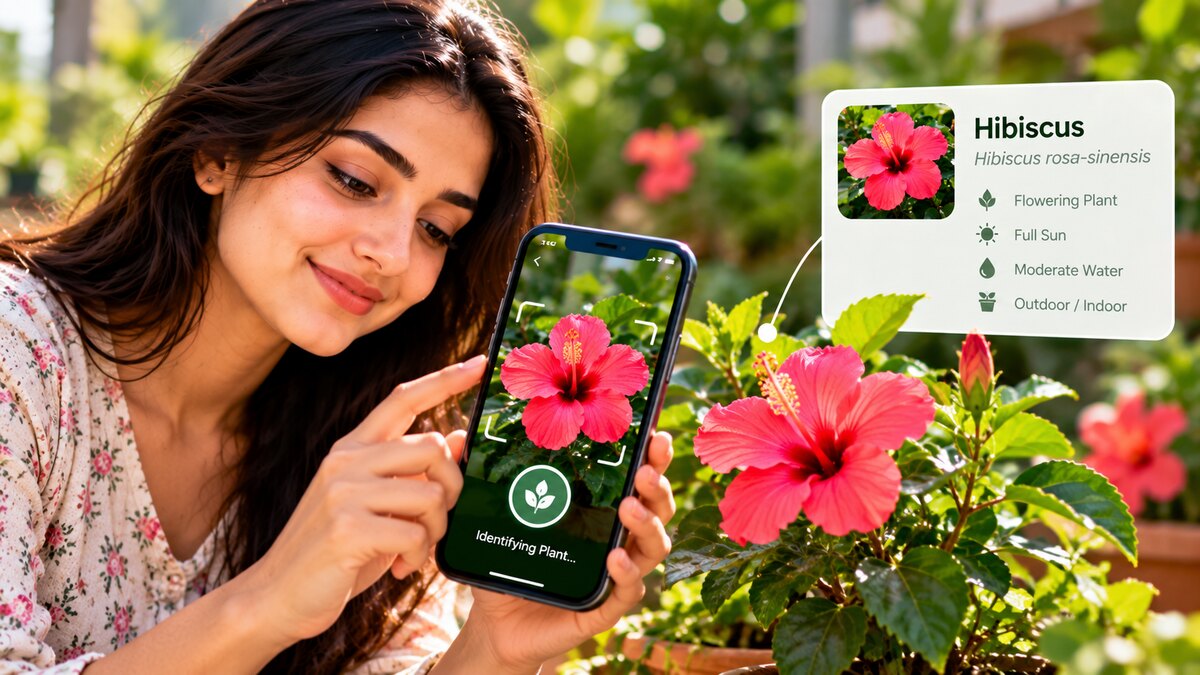
Have you ever spotted a beautiful flower in a garden, noticed an unfamiliar tree during a walk, or wondered what kind of plant is growing in your home? Identifying plants can be difficult when you do not know their names or botanical characteristics. Fortunately, your smartphone can help you investigate unfamiliar plants with just a photograph.
Plant identification apps use image recognition, artificial intelligence, botanical databases, and, in some cases, community knowledge to suggest the names of plants. Depending on the application, you may also receive information about growing conditions, watering requirements, common plant problems, and interesting facts about different species.
These tools can be useful for gardeners, students, nature enthusiasts, travelers, and anyone who wants to learn more about the plants around them.
However, not every application offers the same features, and some provide only limited free access before requesting payment. Identification results can also be incorrect, especially when photographs are unclear or several species look similar.
In this guide, biographypadhe.com explores five plant identification apps for Android and iPhone, explains what makes each option useful, and shares practical tips for obtaining better results.
Why Use an App to Identify Plants?
Traditional plant identification often involves consulting botanical guides, comparing leaf shapes, examining flowers, or asking an experienced gardener for help. These methods remain valuable, but a mobile application can make the initial search much easier.
Most plant identification apps allow you to photograph an unfamiliar plant or upload an existing image. The software analyzes visible characteristics and compares them with information in its database.
The result may include a suggested plant name, photographs of similar species, and additional information about the plant’s appearance or growing conditions.
For example, you might photograph a houseplant with broad green leaves and use the suggested identification to research its watering and lighting requirements.
Some applications also help users explore wild plants, record nature observations, or learn about plant diversity.
The biggest advantage is convenience. You can investigate plants while gardening, walking through a park, visiting a botanical garden, or exploring a new destination.
Nevertheless, the suggested name should be treated as a starting point rather than unquestionable proof of identity.
1. PlantSnap: Identify Flowers, Trees, and Other Plants
PlantSnap is a plant identification service designed to help users recognize plants from photographs. Its current website also describes plant care guidance, information about plant diseases, and a community where plant enthusiasts can share their experiences.
The application may be useful for people who want to identify unfamiliar plants and learn more about looking after the plants they already grow.
Main Features
- Photo identification: Use a photograph to obtain a suggested plant identification.
- Plant information: Explore details and interesting facts associated with identified plants.
- Plant care guidance: Access available information about watering, light conditions, and other care requirements.
- Plant community: Discover plant-related content shared by other enthusiasts.
- Additional tools: Certain care or identification features may be included in paid plans.
You can explore the service through the official PlantSnap website.
What Makes PlantSnap Useful?
PlantSnap can be helpful when you want to learn the name of a plant before researching its characteristics in greater detail.
For instance, if you discover an unfamiliar flowering plant, you can take a clear photograph and review the suggested identification. Once you have a possible name, you can investigate its appearance, native range, and general growing conditions.
Its plant care features may also help beginners understand the needs of plants in their gardens.
Is PlantSnap Completely Free?
Do not assume that every feature is available at no cost. PlantSnap promotes premium access, and the availability of identification and care features can depend on the current offer.
Check the relevant app-store listing and subscription screen before downloading or purchasing the service. Review any trial period and automatic renewal conditions carefully.
2. Seek by iNaturalist: Explore Plants and Wildlife
Seek by iNaturalist is a free nature identification app that helps users explore plants, animals, fungi, and other living organisms.
Unlike applications focused primarily on garden maintenance, Seek emphasizes outdoor discovery and nature education. Its camera can provide identification suggestions while you explore the environment around you.
The app also includes observation challenges and badges that encourage users to discover different kinds of living things.
Main Features
Live identification: Point your camera at a plant or another organism to receive identification suggestions.
Nature exploration: Learn about different plants, animals, and fungi in your surroundings.
Educational challenges: Earn badges through activities that encourage outdoor observation.
No mandatory account: You can explore the app without creating an account.
Privacy-conscious design: According to iNaturalist’s official documentation, Seek does not require an account, and precise location is not stored in the app or sent to iNaturalist.
Learn more through the official Seek by iNaturalist page.
Who Should Use Seek?
Seek may be especially appealing to students, families, hikers, and people who want to learn more about nature.
Imagine walking through a botanical garden and encountering several unfamiliar plants. Instead of searching individually for every name, you can use the app to investigate possible identifications as you explore.
The observation challenges can also make learning about local biodiversity more engaging.
Is Seek Free?
Yes. iNaturalist states that both Seek and its main iNaturalist service are free to use, without subscriptions or identification paywalls.
You can find further details in the official iNaturalist help center.
Keep in mind that Seek’s suggested identification may not always reach the exact species. If you need a precise answer, compare the suggestion with additional botanical references.
3. PictureThis: Identify Plants and Learn How to Care for Them
PictureThis is a plant identification service that combines photo-based recognition with plant information and care-related features.
It can be useful when your goal goes beyond discovering a plant’s name. For example, you may want to identify a houseplant, research its light requirements, or investigate possible reasons why its leaves are turning yellow.
The service also provides plant encyclopedia content and information about different types of plants.
Main Features
- Photo identification: Submit an image to receive a suggested plant name.
- Plant encyclopedia: Explore information about flowers, trees, weeds, houseplants, and other plant groups.
- Care recommendations: Access available guidance about growing conditions and plant maintenance.
- Plant problem information: Explore possible explanations for visible plant health problems.
- Premium options: Some advanced features may require a subscription.
Visit the official PictureThis website to learn more about the service.
Why Consider PictureThis?
PictureThis may suit gardeners and houseplant owners who need more than a basic identification result.
For example, suppose you receive a plant as a gift but do not know its name. After obtaining a suggested identification, you can research the plant’s preferred lighting, watering routine, and other growing requirements.
Its plant problem features may also help you investigate visible symptoms. However, yellowing leaves, brown tips, or spots can have several causes, including watering problems, pests, disease, and environmental stress. An automated suggestion should not be treated as a definitive diagnosis.
Can You Use PictureThis for Free?
The service offers free access or introductory options, but some features require payment. The exact limits can differ across platforms, regions, and current offers.
Review the subscription details before starting a trial, especially if automatic renewal applies. If you only need occasional identification, compare the available free options before paying for additional features.
4. Google Lens: Identify Plants Without a Dedicated Plant App
Google Lens is a visual search tool that can help you learn more about objects in photographs, including flowers, leaves, and trees.
Unlike dedicated plant identification services, Lens is not designed exclusively for gardening. It searches for visual matches and related information across available sources, making it a convenient starting point for identifying unfamiliar plants.
Main Features
Visual search: Take or upload a photograph to discover related results.
Similar images: Compare visually similar photographs to investigate possible plant names.
Website results: Explore information from websites and other available search results.
Image-based questions: Use supported Google search features to ask questions about the image.
Flexible access: Depending on your device, use Lens through supported Google apps, Google Photos, Chrome, or the web.
Google explains the process in its official guide to searching with an image.
How to Identify a Plant With Google Lens
- Open the Google app, Google Photos, or another supported Lens interface.
- Take a photograph of the plant or select an existing image.
- Open the Lens or image-search feature.
- Select the relevant part of the image if necessary.
- Review the suggested matches and related websites.
- Compare the results before deciding which identification is most likely.
Google Lens is particularly useful if you already use Google services and do not want to install another dedicated application.
Is Google Lens Free?
Google Lens is available without a separate plant-identification subscription, although access depends on a supported Google product and the features available in your region.
The main limitation is that Lens provides visual search results rather than a guaranteed botanical identification. Similar-looking plants may appear in the results, so check reliable references before relying on a suggested name.
5. Pl@ntNet: A Free Tool for Plant Identification and Nature Research
Pl@ntNet is a plant identification project that allows users to submit photographs and explore possible plant species. It is particularly relevant for people interested in wild plants and botanical observation.
Unlike a general visual search tool, Pl@ntNet focuses specifically on plant identification. Its identification interface supports photographs of different plant parts, and users can select a relevant regional flora where available.
Main Features
- Plant-focused identification: Submit photographs to find possible botanical matches.
- Multiple photographs: Upload several images of the same plant when the identification interface supports it.
- Regional plant collections: Choose an available flora to improve the relevance of possible matches.
- Scientific information: Explore plant names and related identification details.
- Free access: The service provides a free way to identify plants.
Try the official Pl@ntNet identification tool.
Who Should Consider Pl@ntNet?
Pl@ntNet is a useful option for gardeners, nature enthusiasts, and students interested in identifying plants rather than simply finding visually similar images.
For example, if you encounter an unfamiliar wildflower, you can photograph its flowers and leaves and compare the resulting suggestions with the plant’s visible characteristics.
Submitting several photographs of the same plant can provide more useful visual information than relying on one image, particularly when the flowers, leaves, and overall growth pattern differ from those of similar species.
What Should You Know?
The quality of the result depends on factors such as the photograph, the species being identified, and the plant collections available to the service.
Pl@ntNet may not recognize every plant with certainty. Review its suggested names alongside a trusted botanical source, especially when identifying an unfamiliar wild plant.
Comparing the Five Plant Identification Apps
Here is a quick comparison to help you decide which tool to try first.
| App | Best use | Cost considerations |
|---|---|---|
| PlantSnap | General identification and plant care | Premium options available |
| Seek by iNaturalist | Outdoor learning and nature exploration | Free |
| PictureThis | Plant identification and care guidance | Free access with paid features |
| Google Lens | Quick visual search | No separate plant-ID subscription |
| Pl@ntNet | Plant-focused identification | Free |
Pricing and feature access may change, so check the official website or app-store listing before downloading. This is a comparison of their general purposes, not a guarantee that one application will identify every species more accurately than the others.
How to Take Better Photos for Plant Identification
Even a capable identification tool needs a useful photograph. A few simple techniques can help you get more relevant results.
Photograph the Plant Clearly
Try to capture the plant in natural light. Avoid strong shadows, excessive glare, or blurred images.
Make sure the photograph shows the details that matter, rather than only a distant view of the entire plant.
Take More Than One Photograph
When possible, take separate pictures of the leaves, flowers, stem, fruit, and overall growth pattern.
Different species may look similar when only one plant part is visible. Additional photographs can reveal useful differences.
Do not damage or remove parts of an unfamiliar plant just to obtain a better image.
Photograph One Plant at a Time
If several plants are growing close together, take a photograph that clearly isolates the plant you want to identify.
A crowded image can make it difficult for image-recognition software to distinguish the subject from surrounding vegetation.
Review the Suggested Identification
Do not automatically accept the first result. Compare the suggested name with the plant’s shape, leaf arrangement, flowers, growing environment, and geographic distribution.
If two or more apps suggest the same species, that provides an additional clue, but it does not guarantee the identification is correct.
Can Plant Identification Apps Always Give the Correct Answer?
No. Plant identification tools are helpful, but they are not infallible.
A University of Maryland Extension field test, updated in November 2025, evaluated nine plant identification apps using 90 photographs of 30 common plant species found in Maryland pasture and hayfield environments. Across the apps tested, 61% of photographs received a correct identification in the first suggestion, and 74% received a correct identification within the first three suggestions.
These results apply to that particular test and group of plants. They should not be interpreted as a universal accuracy rate for all plant identification apps or every type of plant.
You can read the findings in the University of Maryland Extension’s plant identification app test.
If an identification has important consequences, confirm it using an authoritative botanical source or a qualified local expert rather than relying only on an automated result.
Important Safety Tips Before Using Plant Identification Apps
Plant identification is not merely a gardening activity. Incorrect information about certain wild plants can create serious risks.
Never eat an unfamiliar plant based only on an app result. Some toxic species closely resemble edible plants, and even several matching identification results may be wrong.
Do not rely solely on an app to determine medicinal use. A mistaken identification could lead to harmful exposure or inappropriate treatment.
Check pet safety independently. If a pet may have eaten an unidentified plant, contact a veterinarian or an appropriate animal poison service rather than relying on an app’s toxicity information.
Review privacy settings. Check which permissions the app requests and whether photographs or location information may be shared.
Avoid unnecessary location details. When photographing plants for sharing online, avoid including identifying details such as your home, private garden, or precise location if those details are not needed.
These precautions allow you to explore plants more confidently without treating an automated suggestion as a substitute for expert advice.
Frequently Asked Questions
What is the best free app to identify plants?
The best choice depends on your needs. Seek by iNaturalist and Pl@ntNet are useful free options for nature exploration and plant identification. Google Lens is convenient for quick visual searches. PlantSnap and PictureThis may offer useful additional features, but some capabilities require payment.
Can I identify plants using a photograph?
Yes. All five tools described in this article can help you investigate an unfamiliar plant using a photograph or supported visual-search method. The accuracy of the result depends on the image and the available identification data.
Can these apps identify trees and flowers?
They can suggest the identities of many trees, flowers, and other plants. For better results, photograph relevant details such as leaves, bark, flowers, or fruits, where available.
Do plant identification apps work without internet access?
Offline capabilities differ between services. Seek is designed to provide identification through its on-device model without requiring an internet connection. Other tools may require an internet connection for image processing, database searches, or additional information.
Are plant identification apps safe to use?
They can be useful for learning about plants, but you should review their permissions and privacy policies. Never use an app as your only source when deciding whether a plant is edible, medicinal, or safe for children and pets.
Final Thoughts
Plant identification apps make it easier to explore unfamiliar flowers, trees, and leaves using a smartphone. PlantSnap and PictureThis combine identification with care-related information, Seek by iNaturalist offers a free educational nature experience, Google Lens provides convenient visual search, and Pl@ntNet focuses on identifying plants through botanical information.
The right application depends on whether you need a quick visual match, information about houseplant care, or a tool for exploring wild plants. Try the free options first and compare their results before deciding whether you need additional paid features.
Most importantly, take clear photographs, verify uncertain results, and remember that artificial intelligence can make mistakes. When plant identity affects food safety, medical decisions, or pet health, seek confirmation from an appropriate expert.
At biographypadhe.com, our goal is to provide practical technology guides that help readers discover useful digital tools, understand their limitations, and make informed decisions.


