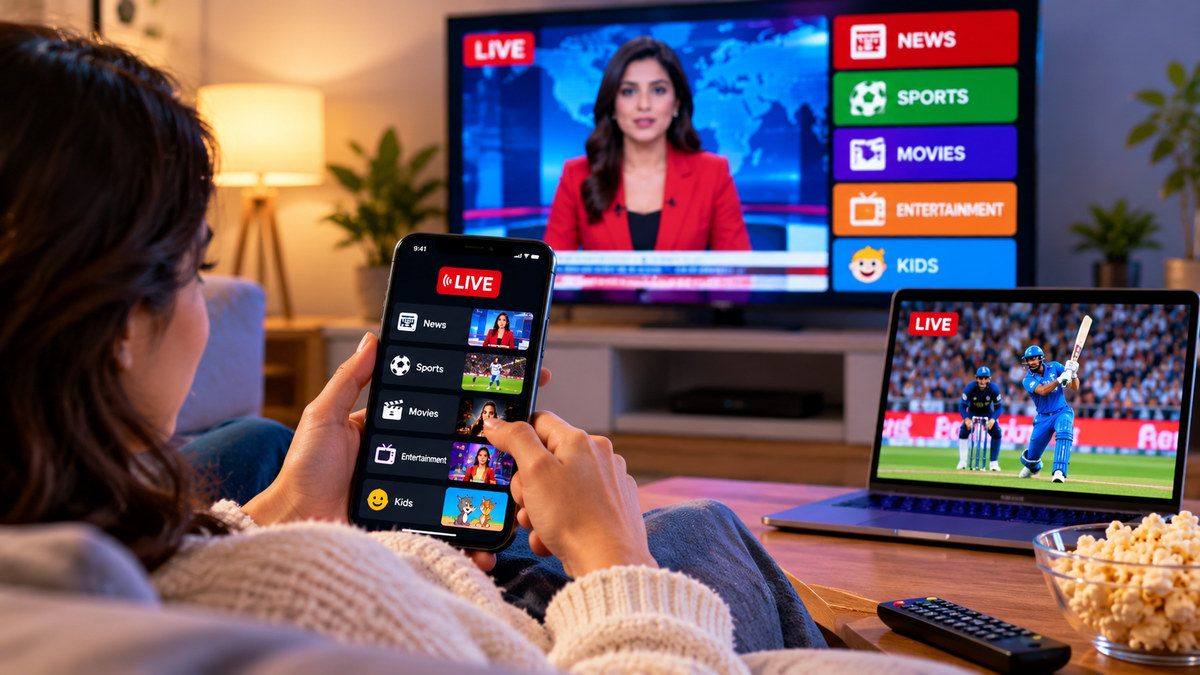
Watching television no longer requires sitting in front of a traditional TV set or paying for an expensive cable package. With a smartphone, tablet, computer, or compatible smart TV, you can access live channels and streaming content through a variety of applications.
Whether you enjoy watching news, entertainment, classic television shows, or programs from your favorite broadcaster, online streaming services provide convenient ways to watch content over an internet connection. Some platforms offer free channels supported by advertisements, while others require a subscription or provide a mixture of free and paid features.
However, not every streaming application offers the same programs. Channel selection, language options, device compatibility, and regional availability can vary depending on the service and your location.
In this guide, biographypadhe.com explores three apps for watching live TV: Pluto TV, +SBT, and Plex. You will learn how each service works, what kind of content to expect, how to choose the right option, and how to enjoy online television more safely.
Why Use an App to Watch Live TV?
Live TV streaming applications allow you to watch scheduled programming through an internet connection instead of relying exclusively on a conventional television signal.
Depending on the service, you may be able to watch news broadcasts, entertainment channels, lifestyle programs, cartoons, films, and other content. Some services also provide on-demand libraries, allowing you to watch selected programs whenever you want.
There are several advantages to this approach.
Convenience: You can watch supported channels on a phone, tablet, computer, or compatible television.
Lower costs: Free, advertisement-supported services can provide entertainment without a monthly subscription.
Flexible viewing: Depending on the platform, you may be able to switch between live channels and on-demand programs.
Multiple devices: Many services support several types of streaming devices, making it easier to continue watching on another screen.
Access to different content: Some applications specialize in entertainment libraries, while others focus on the programming of a particular television broadcaster.
Nevertheless, free streaming does not mean that every channel is available at no cost. Premium sports, local broadcast channels, and certain international programs may require a separate subscription or may not be offered in your region.
1. Pluto TV: Free Live Channels and On-Demand Entertainment
Pluto TV is a free, advertisement-supported streaming service offering live channels alongside a library of on-demand movies and television shows.
Instead of requiring viewers to choose an individual program every time, its live TV interface allows them to browse channels and watch scheduled content. Depending on the region, the available lineup may include entertainment, news, reality programming, films, and other categories.
The service is designed to provide a television-style experience through an internet connection.
Main Features of Pluto TV
Live TV channels: Browse a selection of channels that stream scheduled programming throughout the day.
On-demand content: Watch selected movies and television shows outside the live channel schedule.
Multiple devices: Pluto TV supports compatible smartphones, tablets, smart TVs, streaming devices, and web browsers.
Personalized viewing: A free profile can provide features such as synchronizing favorite live channels and a watchlist across supported devices.
No subscription requirement: The service is funded by advertisements rather than a mandatory paid subscription.
You can explore the available programming through the official Pluto TV website.
How to Watch Live TV With Pluto TV
Getting started is straightforward.
- Visit the official Pluto TV website or open its application on a supported device.
- Check whether the service is available in your country.
- Browse the available live channels.
- Select a channel to begin watching.
- Explore the on-demand section when you want to choose a specific program.
You may be able to start streaming without creating an account, although a free profile can provide additional features.
Is Pluto TV Completely Free?
Pluto TV describes its service as free and supported by advertisements. You do not need a paid subscription to access its standard free content in supported markets.
Advertisements help fund the programming, so occasional commercial breaks are part of the experience.
It is important to remember that the service’s catalog varies by country. A channel available in one region might not be available in another because streaming rights and distribution arrangements differ.
Pluto TV can be a good starting point for viewers who want free entertainment without committing to another monthly subscription. However, it should not be treated as a replacement for every local television channel or premium sports service.
2. +SBT: Watch Brazilian Television and Entertainment
+SBT is the free streaming service associated with SBT, a Brazilian television broadcaster. It combines the broadcaster’s real-time programming with additional live channels and an on-demand catalog.
The service is particularly relevant to viewers interested in Brazilian television, Portuguese-language entertainment, and programming associated with SBT.
Depending on the available catalog, viewers can explore soap operas, cartoons, classic programs, original productions, and other television content.
Main Features of +SBT
SBT in real time: Watch the broadcaster’s live programming through supported access options.
Additional live channels: Explore the live channels offered through the streaming service.
On-demand entertainment: Access selected shows and other programs when they are available in the catalog.
Portuguese-language content: Discover Brazilian television and entertainment intended for audiences familiar with the language and its programming.
Free streaming: The official app listing describes the service as free and advertisement-supported.
You can learn more from the official SBT website and the +SBT listing on Google Play.
Who Should Use +SBT?
+SBT may be useful if you enjoy Brazilian television and want to watch SBT programming on a compatible device.
For example, Brazilian viewers who prefer watching selected entertainment programs on a phone or smart TV may find the service a convenient alternative to traditional television viewing.
The on-demand catalog is also useful when you want to explore available shows without following a live broadcast schedule.
Is +SBT Available Everywhere?
Not necessarily. Although the service has official web and app access, individual programs and live streams may be subject to regional restrictions.
The availability of the application in a particular app store does not guarantee that every program can be streamed in every country.
If you live outside Brazil, check the official website and app-store listing for current access requirements before relying on the service. You should also confirm that the programs you want to watch are actually available in your region.
For viewers who mainly want general international entertainment or channels in another language, Pluto TV or Plex may be more appropriate alternatives, depending on local availability.
3. Plex: Free Live TV Without Traditional Cable
Plex is widely known for helping users organize and stream their personal media collections, but it also provides a free, advertisement-supported live TV service.
Its live TV offering lets users browse channels and watch scheduled programming without needing to set up a personal TV antenna or purchase a Plex Pass subscription.
The service can be useful for viewers who want free entertainment and prefer a channel guide rather than choosing each program individually.
Main Features of Plex
Free live TV: Watch supported streaming channels without a mandatory Plex Pass subscription.
On-demand entertainment: Explore additional free, advertisement-supported movies and television shows.
Multiple-device support: Plex supports compatible mobile devices, computers, smart TVs, streaming devices, and game consoles.
Channel discovery: Browse the available lineup and mark channels as favorites.
Personal media organization: Plex also offers tools for organizing and streaming a user’s own media collection, although some related features require additional setup.
Visit the official Plex website or read the Plex live TV overview for more information.
How to Watch Live TV on Plex
- Open the official Plex website or install the application on a supported device.
- Access the free Live TV section.
- Browse the available channel lineup.
- Select a channel and begin streaming.
- Save favorite channels where the feature is supported.
Plex’s free streaming TV service does not require you to own an antenna or compatible TV tuner. This is separate from Plex’s optional Live TV and DVR functionality, which can use additional hardware to access and record local over-the-air broadcasts.
What Can You Watch on Plex?
The selection includes various types of free streaming channels and on-demand content. Availability depends on the region and current licensing arrangements.
It is important to distinguish Plex’s free streaming channels from local television stations received through an antenna. Plex’s free streaming lineup does not generally provide the same selection as a conventional local broadcast package, and it does not guarantee access to premium sports or cable channels.
For users who want to browse entertainment without paying for a conventional TV package, Plex offers another option worth exploring.
Comparing the Three Live TV Apps
Each application serves a slightly different purpose. The following comparison can help you decide where to start.
| Feature | Pluto TV | +SBT | Plex |
|---|---|---|---|
| Main focus | Live channels and on-demand entertainment | Brazilian television and entertainment | Free live streaming and media organization |
| Free streaming | Yes, ad-supported | Yes, ad-supported | Yes, ad-supported |
| Live programming | Yes, in supported regions | Yes, subject to availability | Yes, in supported regions |
| On-demand content | Yes | Yes | Yes |
| Best suited to | Viewers seeking a variety of free entertainment | Viewers interested in Brazilian programming | Viewers seeking free channels and flexible device support |
These services are not interchangeable. Your best choice depends on your language preferences, location, device, and the programs you want to watch.
How to Choose the Right Live TV App
Before installing a streaming application, think about how you normally watch television.
Check the Available Channels
If you mainly want to watch news, entertainment, or classic television programs, a free streaming service may provide enough content for your needs.
However, if your priority is a particular sports league, regional news station, or premium television network, check whether the desired channel is officially available before installing the app.
Do not assume that a service offers every channel simply because its website advertises a large selection.
Consider Your Country and Language
Channel availability can vary because of licensing and distribution agreements.
For example, +SBT is especially relevant to Brazilian programming, while the content offered by Pluto TV and Plex varies between markets.
Check the official service for your country and review the language of the programs you want to watch.
Review Device Compatibility
Some apps support a wide range of devices, while others may have more limited availability.
Before downloading, make sure the service is compatible with your operating system, smart TV, streaming device, or web browser.
If you plan to watch on a large screen, check whether the application has a supported TV version or whether casting is available on your device.
Understand Advertisements and Subscriptions
Free streaming services commonly rely on advertising to pay for content licensing and distribution.
If you prefer uninterrupted viewing, examine whether an official paid option exists. Do not assume that purchasing a general subscription will unlock channels that the service does not offer in your region.
Check Video Quality and Internet Usage
Video quality affects your viewing experience and the amount of data used.
An unreliable connection may result in buffering, reduced picture quality, or interruptions. If you have a limited mobile data plan, connect to Wi-Fi where appropriate and review the application’s playback settings.
For the best experience, use a stable internet connection and close unnecessary downloads that may consume bandwidth.
Is It Safe to Watch Live TV Through Free Apps?
Free streaming can be a convenient way to watch entertainment, but it is important to choose legitimate services.
Download apps through official app stores or use the streaming service’s genuine website. Be cautious of unfamiliar websites promising access to every premium channel, paid sports event, or subscription service without authorization.
Some unofficial streaming sources may expose users to deceptive advertisements, suspicious downloads, or websites that request unnecessary personal information.
You should also review application permissions and privacy policies. A TV streaming app generally should not need unrestricted access to unrelated personal files to display its standard programming.
Avoid installing unknown APK files or browser extensions simply to unlock channels. An application claiming to provide free access to copyrighted broadcasts may not have permission to distribute the content.
Using official services helps you understand what is available, how it is funded, and which terms apply to your viewing.
Frequently Asked Questions
Can I watch live TV for free on my phone?
Yes. Services such as Pluto TV, +SBT, and Plex offer free streaming options, although program availability varies by region. Some require an internet connection and may display advertisements.
Do these apps require a cable TV subscription?
Their standard free streaming services generally do not require a traditional cable subscription. However, they do not necessarily include every local broadcast station, premium sports channel, or paid network.
Can I watch these services on a smart TV?
Yes, compatible smart TVs support several of these services. Device availability differs by application, so check the official app store on your television or the service’s supported-device information.
Does free streaming mean there are no advertisements?
No. Pluto TV and Plex use advertisements to support their free streaming services, and +SBT also offers advertisement-supported content. The frequency and placement of advertisements vary.
Can I watch live TV while traveling abroad?
It depends on the service, the country you visit, and the relevant streaming rights. Some programs may be restricted outside their intended markets. Check the official service’s regional availability information before traveling.
Final Thoughts
Watching live TV through a smartphone, computer, or smart TV can be a practical way to enjoy entertainment without relying entirely on traditional cable packages.
Pluto TV offers free, advertisement-supported live channels and on-demand content. +SBT provides access to Brazilian television programming and additional entertainment. Plex combines free live streaming with an application for organizing personal media.
The right option depends on what you want to watch, the language you prefer, your location, and the device you use.
Before installing an application, check the channel lineup, regional restrictions, advertisements, and privacy practices. Start with the free features and decide whether they meet your needs before considering any paid extras.
Most importantly, use official streaming services and avoid unfamiliar websites that promise unrestricted access to premium content. A reliable service provides a clearer understanding of its channel selection, content rights, and viewing conditions.
At biographypadhe.com, our goal is to provide practical technology guides that help readers discover useful digital services, understand their limitations, and make informed decisions about the applications they use.


